Apps / Scullery

Scullery
Meal Planner & Grocery List
Save any recipe from the web, a photo or a note, read privately on your iPhone. Scale servings, shop by aisle, and cook step by step with timers.
What Scullery does
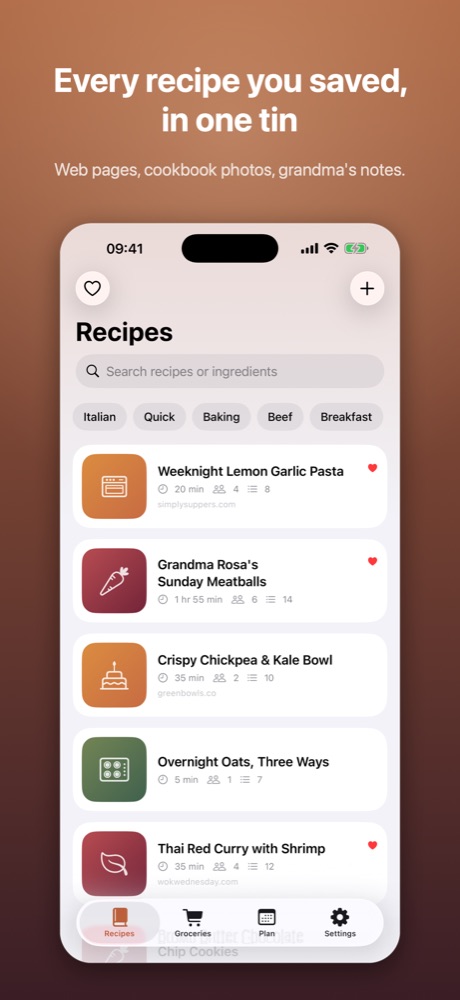
Save from anywhere
- Paste a link and Scullery pulls out the ingredients and steps, leaving the life story behind
- Photograph a cookbook page, recipe card or screenshot
- Paste text from a message or note
On supported iPhones, pages and photos are read by Apple Intelligence on your device. Nothing is uploaded anywhere.
Cook without fuss
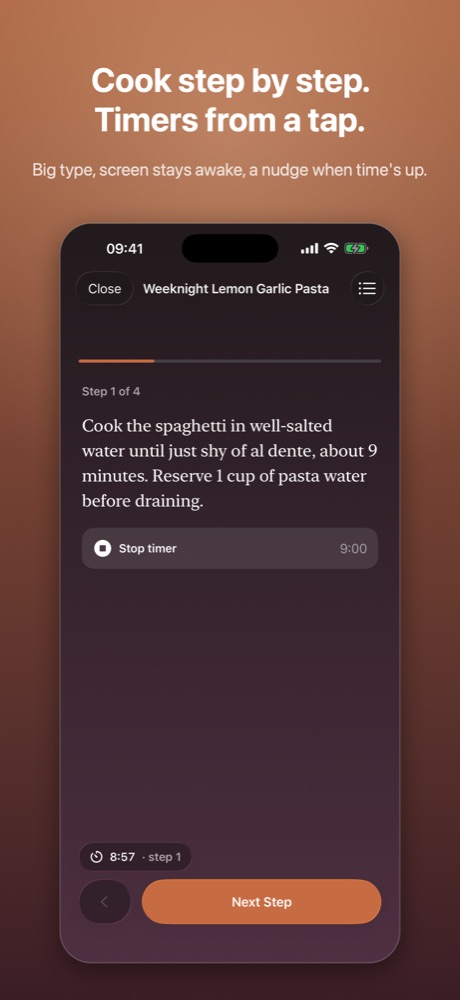
- One step per screen, in large type, with the screen kept awake
- Timers found right in the text: “simmer 20 minutes” becomes a button
- Running timers count down on the Lock Screen and in the Dynamic Island, with a notification when they end
- Ingredients one tap away
Scale and shop
- Change the servings and every quantity follows, in friendly fractions
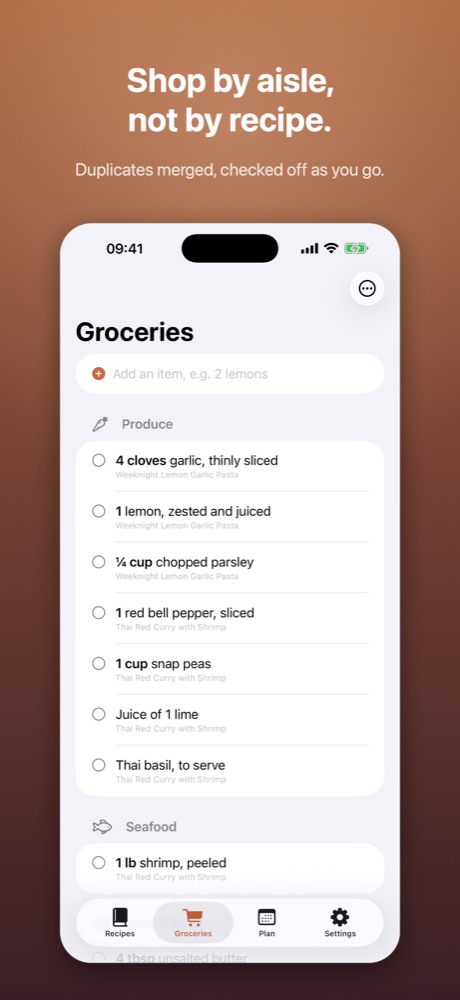
- Send ingredients to a grocery list that merges duplicates and sorts by aisle
- Check things off as you shop, share the list
Free to use
Save as many recipes as you like. Links to pages that include recipe data import without limits; photos, pasted text and other pages use a few free imports each week, and watching a short video ad adds more.
Scullery Pro (optional)
- Unlimited photo & text imports
- A weekly meal planner that sends the whole week to Groceries in one tap
- No ads
Monthly, yearly (with a free week) or a one-time lifetime purchase. Prefer just no ads? A single Remove Ads purchase does exactly that and nothing else changes.
Private by design
No account. Your recipes stay on your iPhone. The free version shows ads from Google; you can opt out of personalized ads at any time, and there are no ads at all once you buy Remove Ads or Pro.
Help and privacy
Questions, bugs or ideas are always welcome.